Paying for gas at Costco can be straightforward if you know the available payment options and how to use them effectively. From traditional cards to mobile apps, each method offers unique benefits and potential drawbacks. This guide will help you navigate the payment process at Costco gas stations, ensuring a smooth and confident refueling experience.
Understanding Costco Gas Station Payment Options
Costco gas stations provide several payment options to suit different preferences. Familiarity with these options is essential, especially for first-time users or those new to Costco's payment policies. Whether you use credit cards, debit cards, or mobile payments, knowing what to expect at the pump can save time and effort.
Key point: Costco gas stations only accept Visa cards for credit payments, which may surprise those used to other cards.
Costco's payment system aims for quick and efficient service. By understanding the payment methods, you can avoid delays and benefit from competitive fuel prices.
Step-by-Step: Using Your Costco Membership Card at the Pump
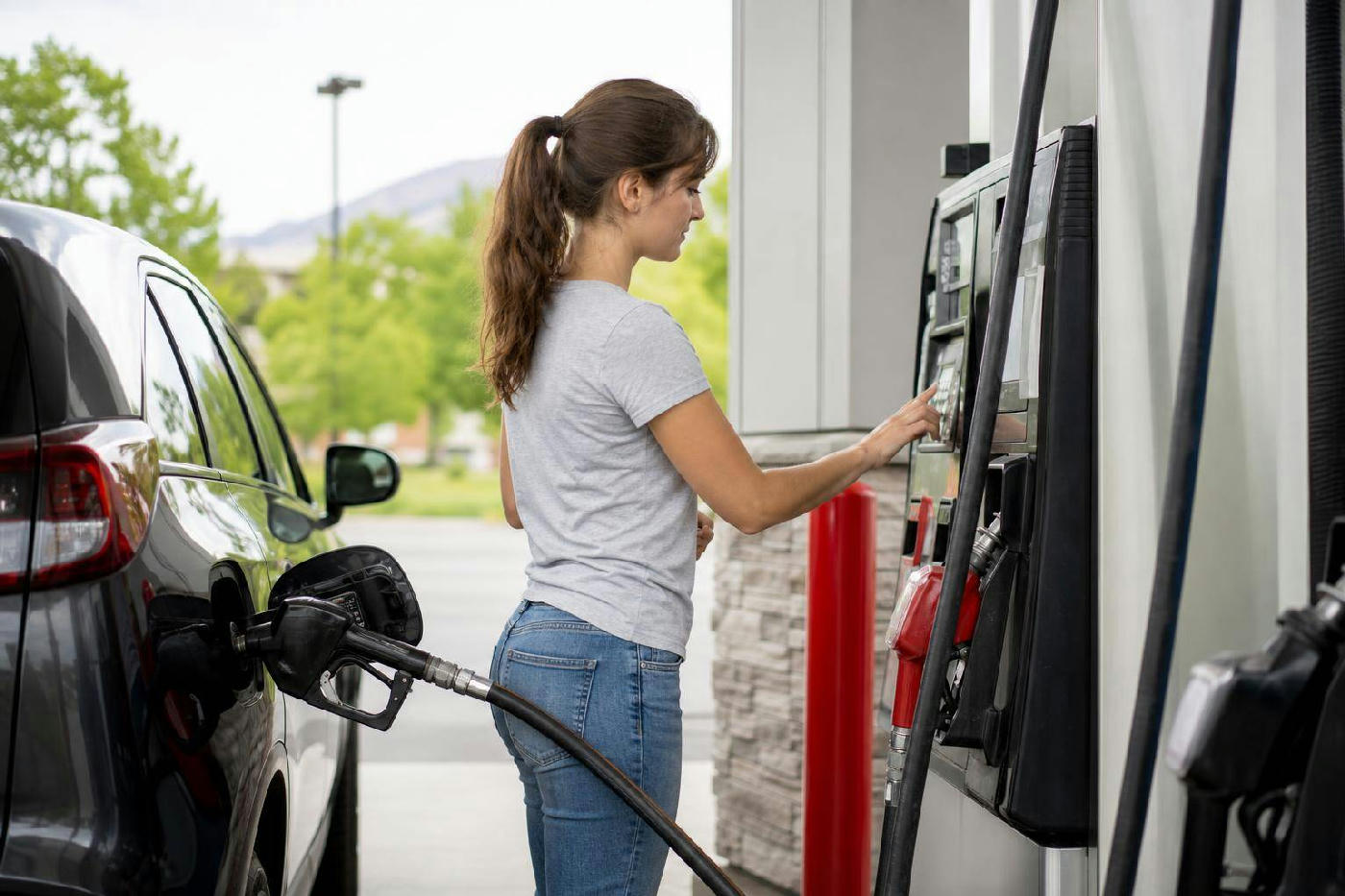
To pay for gas at a Costco station, you must first present your Costco membership card. This step verifies your eligibility for member prices. Here's how to proceed:
Insert your Costco membership card into the pump's card reader to identify yourself as a member and access fuel purchases.
Next, choose your payment method: After verification, select your preferred payment method, such as a Visa card or debit card.
Finally, proceed with fueling. After payment, select the fuel grade and begin refueling. The process is intuitive, even for first-time users.
Accepted Payment Methods at Costco Gas Stations
Costco gas stations accept specific payment methods, each with its own conveniences and limitations. Understanding these can help you choose the best way to pay for fuel.
Paying for Gas at Costco Using Visa Cards
Visa credit cards are the primary credit option at Costco gas stations, thanks to a partnership between Costco and Visa, which streamlines transactions and reduces fees.
Advantages: Visa cards are convenient for those who already have them and often offer rewards or cashback. Their wide acceptance makes them a reliable choice.
If you don't have a Visa card, you may need to use alternatives like debit cards or cash, which could be less convenient.
Using Debit Cards and PINs at Costco Gas
Debit cards are also accepted at Costco gas stations, linking directly to your bank account for immediate transactions without credit.
Major benefit: Debit cards help avoid credit debt and often have lower fees, appealing to cost-conscious consumers.
Remember your PIN, as it's typically required for authorization. Forgetting it can cause delays or require a different payment method.
Leveraging Apple Pay for Seamless Transactions
Costco gas stations accept Apple Pay, offering a modern, contactless payment solution ideal for tech-savvy consumers who prefer digital wallets.
Why choose Apple Pay? It offers convenience and speed. With a tap of your phone, you can securely complete your transaction without handling cards or cash.
Ensure your device is set up correctly and linked to a compatible card before arriving at the pump.
How to Use Costco Shop Cards for Fuel Purchases
Costco Shop Cards, similar to gift cards, are another payment option. These cards can be pre-loaded with funds and used like a debit card.
Considerations: Shop Cards help budget fuel expenses by loading a specific amount. They also offer flexibility for other Costco purchases.
Ensure your card has enough balance before using it at the pump to avoid transaction issues.
Exploring Mobile Payment: Paying with the Costco App
Mobile payment options are increasingly popular, and the Costco app offers a streamlined way to pay for gas from your smartphone, combining convenience with app-based features.
Practical Guide: How to Pay by Phone at Costco Gas
To use the Costco app for gas payments, ensure it's installed and linked to a valid payment method, like a Visa card or bank account.
At the pump: Open the app, select the gas payment option, and follow the steps to authorize the transaction, often involving a quick QR code scan or tap.
This method is useful for those who prefer not to carry physical cards and enjoy managing everything through their smartphone.
Troubleshooting Common Payment Issues at Costco Gas Pumps
While generally straightforward, payment issues can occur at Costco gas stations. Knowing common problems and solutions can help you navigate them smoothly.
Common issues include: Card declines, unreadable membership cards, or payment system errors. These can often be resolved by checking card validity, ensuring funds, or re-inserting the card correctly.
If problems persist, contact a Costco attendant or use an alternative payment method to quickly resolve the issue. Having multiple payment options can prevent delays.
Real-World Examples: Users Share Their Costco Gas Payment Experiences
Learning from others' experiences can provide insights into paying at Costco gas stations. Many customers find that preparation and understanding the payment process enhance their experience.
For instance: One user appreciated Apple Pay for quick transactions, while another found using a Costco Shop Card helpful for managing gas expenses.
These examples highlight the importance of choosing a payment method that suits your preferences and needs. Insights from others can help you anticipate challenges and streamline your refueling process.
Comprehensive Breakdown: Key Differences & Comparison Table
Understanding the differences between payment options can help you select the best method for your needs. Below is a comparison of major payment methods accepted at Costco gas stations.
| Payment Method | Advantages | Considerations |
|---|---|---|
| Visa Credit Card | Rewards, wide acceptance | Requires Visa, potential for credit debt |
| Debit Card | Direct bank link, lower fees | Requires PIN, linked to bank account |
| Apple Pay | Contactless, fast transactions | Requires setup, compatible device |
| Costco Shop Card | Preloaded funds, budget-friendly | Must check balance, limited to Costco |
Maximizing Benefits: Choosing the Best Payment Method for You
Choosing the right payment method at Costco gas stations involves weighing the benefits and drawbacks of each option. Your choice should align with your financial habits and convenience preferences.
Consider your priorities: If rewards and cashback matter, a Visa card might be best. For budgeting, a Costco Shop Card offers control over fuel spending.
The rise of mobile payments like Apple Pay offers convenience that appeals to many. Balance technological comfort with financial strategy to maximize your chosen payment method's benefits.
Pitfalls to Avoid When Paying at Costco Gas Stations
Despite the straightforward nature of paying at Costco gas stations, common pitfalls exist. Avoiding these can save you from hassles and ensure smooth transactions.
Common pitfalls include: Forgetting your membership card, lacking a backup payment method, or assuming all credit cards are accepted. These missteps can lead to frustration and delays.
Preparation is key. Double-check you have necessary cards and understand the payment process before heading to the station. This way, you can enjoy Costco's competitive fuel prices without payment stress.
FAQs about How to Pay at Costco Gas
Can I use any credit card to pay at Costco gas?
No, Costco gas stations only accept Visa credit cards due to an exclusive agreement with Visa, so carry a Visa card if you plan to use credit.
What should I do if my payment method is declined?
If your payment is declined, check your card information and ensure funds are available. If the issue persists, try another payment method or contact your bank.
Is it possible to pay for Costco gas without a membership?
No, a Costco membership is required to purchase gas. Membership verification is the first step in the payment process, ensuring access to member-only pricing.
How do I set up Apple Pay for use at Costco gas stations?
To set up Apple Pay, open the Wallet app on your iPhone, add a compatible card, and follow prompts to verify it. Once set up, use Apple Pay at the pump for seamless transactions.
Are there any additional fees for using certain payment methods?
Generally, there are no additional fees for using accepted payment methods at Costco gas stations. However, check with your card issuer for potential transaction fees.
What are the steps to pay using the Costco app?
To pay using the Costco app, ensure it's installed and linked to a valid payment method. Open the app at the pump, select the payment option, and follow on-screen instructions to complete your purchase.